
SaaS Website Migration SEO: How to Protect Rankings, Traffic and Leads
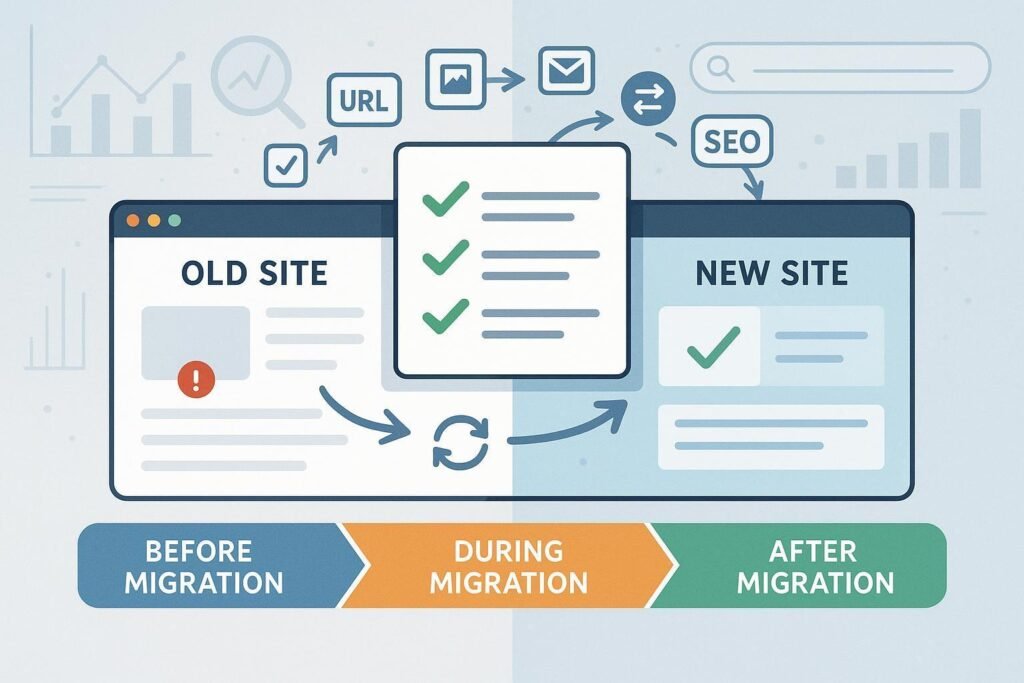
A website migration can be an exciting step for a B2B SaaS company. You might be moving to a new content management system, redesigning an outdated website, changing your domain, reorganising product pages or rebuilding your entire digital experience.
But there is one important question that often gets pushed aside during the redesign process: what happens to your organic search visibility?
A website can look better, load faster and offer a smoother user experience while still losing valuable search traffic if important URLs disappear, redirects are misconfigured or search engines cannot access the new pages.
SaaS website migration SEO is the process of planning, implementing and monitoring a website move or major structural change to minimise avoidable losses in search visibility, organic traffic and conversions.
The objective is not to guarantee that rankings will never fluctuate. Google explains that significant site moves can cause temporary changes while its systems recrawl and reindex URLs. The goal is to make the transition as clear and technically sound as possible.
This guide explains how SaaS marketing teams can prepare for a migration, protect valuable pages and monitor performance after launch.
What counts as a website migration?
A website migration is any significant change to a website’s domain, URL structure, hosting, content management system or technical setup.
Common examples include:
- Moving from one domain to another.
- Switching from HTTP to HTTPS.
- Changing URL paths or restructuring website sections.
- Moving to a new CMS or hosting provider.
- Redesigning a website with changes to templates and content.
- Combining multiple websites into one.
- Moving a blog or resource centre to a different subdirectory.
Not every migration has the same SEO risks. A hosting change that preserves all URLs has different requirements from a domain migration that changes hundreds of page addresses.
Google provides separate guidance for site moves involving URL changes and hosting changes without URL changes.
Understanding which type of migration you are planning is the first step towards creating the right checklist.
Why SaaS website migrations can affect organic traffic
For a SaaS business, the website is often more than a digital brochure. It may be the primary destination for people researching software categories, comparing solutions, exploring integrations and deciding whether to book a demo.
That means the consequences of a poorly managed migration can extend beyond rankings.
1. Valuable URLs may disappear
Imagine a SaaS company has spent two years building a library of articles, integration pages and product guides. During a redesign, the team changes the URL structure without documenting the old addresses.
External websites may still link to the original URLs. Search engines may continue discovering them. Visitors clicking old bookmarks could encounter errors instead of the intended content.
The solution is to inventory existing URLs before making structural changes and map important old pages to relevant destinations.
2. Redirects may point to the wrong pages
A redirect tells browsers and search engines that a URL leads somewhere else. During a migration, the destination should usually be the closest relevant replacement for the original page.
Sending every old URL to the homepage can create a confusing experience and fail to preserve the intended relationship between pages.
Google’s redirect documentation explains how redirects help communicate that a page has moved.
3. Search engines may be blocked from important content
Development websites sometimes use password protection, robots.txt rules or noindex directives to prevent unfinished pages from appearing in search results.
Those controls may be appropriate during development. If they remain on the production website unintentionally, they can prevent important pages from being indexed.
The launch checklist must include a review of crawling and indexing settings.
4. Conversion journeys may break
A migration can affect more than search visibility. Forms, demo-booking links, analytics events, product screenshots, internal links and calls to action may stop working or become harder to find.
For a B2B SaaS company, losing a demo-request path can be just as damaging as losing traffic to an important landing page.
This is why a migration should be treated as a marketing, technical and conversion project—not just a design launch.
The SaaS website migration SEO checklist
Use the following checklist as a working plan before, during and after launch.
Phase 1: Before migration — document what already works
Step 1: Crawl the existing website
Start by creating a list of the website’s current URLs. Include blog posts, product pages, service pages, integration pages, comparison pages and other resources that search engines or visitors may use.
For each URL, record relevant information such as:
- Current page title and H1.
- Status code.
- Canonical URL.
- Indexability.
- Organic traffic and search performance.
- Backlinks, where reliable data is available.
- Leads or conversions, where tracking exists.
This inventory becomes your reference point after the migration.
Step 2: Identify your most valuable pages
Not every page has equal business value.
A high-performing product page that attracts qualified demo requests deserves more attention than an outdated article that has no relevant traffic or business purpose.
Use Google Search Console to review impressions, clicks, search queries and landing-page performance. Where available, connect these insights with analytics and CRM data to understand which pages support the sales process.
Amy’s Brew’s 100 B2B SaaS keyword guide can also help teams think about how educational, comparison and decision-stage content fit into the wider buyer journey.
Step 3: Build a URL mapping spreadsheet
Create a simple table that pairs each existing URL with its intended destination.
| Old URL | New URL | Action |
|---|---|---|
/old-product-guide/ | /product-guide/ | Permanent redirect |
/integrations/old-crm/ | /integrations/crm/ | Redirect if genuinely equivalent |
/blog/outdated-topic/ | No equivalent page | Review before removal |
/pricing/ | /pricing/ | Preserve or verify unchanged |
These are illustrative examples, not actual Amy’s Brew URLs.
Each redirect should have a clear reason. If a page has no relevant replacement, decide whether it should remain, be rewritten, or return an appropriate not-found response.
Step 4: Decide what should stay the same
If the migration does not require changing a URL, keeping it unchanged can reduce unnecessary complexity.
Google recommends changing one major element at a time where practical. Combining a domain move, a complete redesign, a new CMS and a wholesale URL restructure makes it harder to identify the cause of problems if performance changes.
Where possible, separate these changes into manageable stages.
Phase 2: During development — protect technical SEO
Step 5: Test the new website before launch
A staging website should be tested before it becomes the public production site.
Check that important pages return the expected status codes, internal links point to the correct destinations and canonical tags reference the intended URLs.
Review the following:
- Robots.txt rules.
- Noindex directives.
- Canonical tags.
- XML sitemap generation.
- Mobile layouts.
- Broken links and images.
- Page titles and meta descriptions.
- Forms, demo links and conversion events.
- Structured data, where used.
If your development environment is intentionally blocked from search engines, ensure the production configuration is reviewed carefully before launch.
Step 6: Check internal links
Internal links help visitors navigate the website and help search engines discover related pages.
During a migration, links can accidentally continue pointing to old URLs, pass through unnecessary redirects or lead to pages that no longer exist.
Update internal links to use the final destination URLs wherever practical.
For example, a blog post about a SaaS feature should link directly to the current feature page rather than to an old URL that redirects elsewhere.
Google’s link best practices provide further guidance on creating links that search engines can crawl.
Step 7: Prepare a clean XML sitemap
Your XML sitemap should contain the canonical URLs you want search engines to discover.
After migration, review it to ensure it does not contain old redirected URLs, accidental staging links or pages that should not be indexed.
A sitemap helps search engines discover URLs, but submitting one does not guarantee that every page will be indexed.
Step 8: Protect content quality during the redesign
A migration is not automatically the right moment to rewrite every page.
If you change a page’s URL, layout, content, internal links and search intent at the same time, diagnosing any resulting traffic change becomes more difficult.
Preserve useful content unless there is a clear reason to improve it. When a rewrite is necessary, make sure the new page still satisfies the purpose of the original and retains important information that users need.
For a separate perspective on creating clear and well-structured content, see Amy’s Brew’s AI-ready content guide.
Phase 3: Launch day — verify the important details
Step 9: Implement the redirects
When URLs change permanently, configure the appropriate permanent redirects, commonly server-side 301 redirects.
Test the redirects rather than assuming they work.
Check that:
- Each old URL reaches the correct destination.
- Redirect chains are avoided where possible.
- Redirect loops do not occur.
- Important old URLs do not return unexpected 404 errors.
- Redirect destinations return a successful response.
Google notes that permanent redirects are a strong signal that the destination should be treated as the new URL. See its official guide to redirects and Google Search.
Step 10: Verify production crawling and indexing settings
Once the new site is live, review the production version—not just the staging site.
Confirm that important pages are accessible, the intended canonical tags are present and no accidental sitewide noindex directive is blocking the content.
Inspect a sample of your highest-value URLs first, then expand testing across the rest of the website.
Step 11: Update and submit the sitemap
Submit the new sitemap through Google Search Console and check that it contains the intended production URLs.
If the migration involves a domain change, follow Google’s site-move guidance and use the Change of Address tool when applicable. That tool is for qualifying domain or subdomain moves, not every URL change within a website.
Step 12: Test the user journey
Visit the website as a real prospective customer would.
Start with an article, follow an internal link, visit a product page and attempt to complete the relevant conversion action.
Check mobile and desktop experiences, form submissions, analytics events and demo-booking links. A technically accessible website is not necessarily a functioning lead-generation website.
Phase 4: After launch — monitor recovery and resolve issues
Step 13: Monitor old and new URLs
After launch, review the old and new URL patterns for crawl errors, unexpected redirects and indexing changes.
Google explains that significant site moves can produce temporary ranking fluctuations while its systems recrawl and reindex pages. The timing varies according to the website and the scale of the move.
Avoid making large additional changes based on one day’s performance.
Step 14: Compare performance against a baseline
Use a pre-migration baseline to evaluate what has changed.
Track:
- Organic clicks and impressions.
- Important landing-page performance.
- Indexed URLs and reported indexing issues.
- Branded and non-branded search traffic.
- Demo requests and trial registrations.
- Qualified leads and relevant conversion rates.
Compare equivalent periods where possible, taking seasonality and normal business changes into account.
Step 15: Fix problems in order of business impact
If performance declines, investigate rather than assuming the migration is the only cause.
Start with critical problems such as pages returning errors, incorrect redirects, blocked crawling or missing canonical pages. Then examine internal links, content changes, conversion tracking and broader search demand.
Keep a record of each issue, its owner, the fix and the date it was resolved.
Common SaaS migration mistakes to avoid
Changing every URL without a mapping plan. This makes it difficult to ensure visitors and search engines reach the correct replacement pages.
Redirecting everything to the homepage. Redirects should lead to relevant destinations rather than sending unrelated visitors to a generic page.
Removing useful content during the redesign. A cleaner design does not require deleting pages that still serve a valuable purpose.
Forgetting analytics and forms. Search traffic is only part of the website’s value. Confirm that the new site records meaningful actions correctly.
Expecting instant ranking stability. Search engines need time to process significant changes. Monitor the evidence and fix verified issues instead of making repeated reactive changes.
Treating launch as the end of the project. Migration monitoring should continue after launch until the main technical issues are resolved and the new site is being processed as expected.
Frequently asked questions
How long does it take for SEO to recover after a website migration?
There is no universal recovery timeline. Google’s documentation notes that medium-sized sites may take weeks or longer for new URLs to replace old ones in search results, while larger sites can take longer. The outcome depends on the size of the move, technical implementation, site speed and how quickly Google can recrawl and process the URLs.
Will changing my website design hurt SEO?
A design change does not automatically hurt SEO. Risk increases when the redesign also changes important content, URLs, internal links, page accessibility or user journeys without proper planning. Test the new site and preserve what is already working unless there is a clear reason to change it.
Do all old URLs need redirects?
Not necessarily. URLs that have moved permanently to equivalent destinations generally need appropriate permanent redirects. URLs with no relevant replacement should be assessed individually rather than redirected indiscriminately.
Should I change my domain and CMS at the same time?
Where practical, separating major changes makes it easier to isolate problems. If both changes must happen together, prepare a detailed migration plan, test thoroughly and monitor the transition closely.
Does submitting a new sitemap guarantee that my pages will rank?
No. A sitemap helps search engines discover URLs, but it does not guarantee indexing or rankings. Pages still need to be accessible, useful and eligible to appear in search results.
Final takeaway: Make your migration a controlled change
A successful SaaS website migration is not simply about launching a better-looking website. It is about preserving useful content, maintaining clear URL relationships, ensuring search engines can access the new site and protecting the journeys that turn visitors into customers.
The strongest approach starts with a reliable inventory, continues with careful testing and redirect planning, and finishes with ongoing monitoring.
If your team is preparing a redesign, CMS change or domain move, Amy’s Brew can help connect technical SEO, content planning and conversion measurement into one coordinated process.
Explore Amy’s Brew to learn more about its approach to SEO, content and organic growth for B2B technology businesses.